Model railroad operations come alive when paperwork feels as real as the trains themselves. For the Cedar River Valley’s Zones 1, 2, and 3, that means building a complete set of car cards and two‑position waybills—the backbone of a smooth, believable freight cycle. With 94 active car spots across the three zones, the paperwork becomes a system in its own right, one that mirrors the prototype’s rhythm of inbound and outbound traffic.
Why Two‑Position Waybills?
Simple, easily readable two‑position waybills strike a perfect balance between operational depth and ease of use. Each bill has:
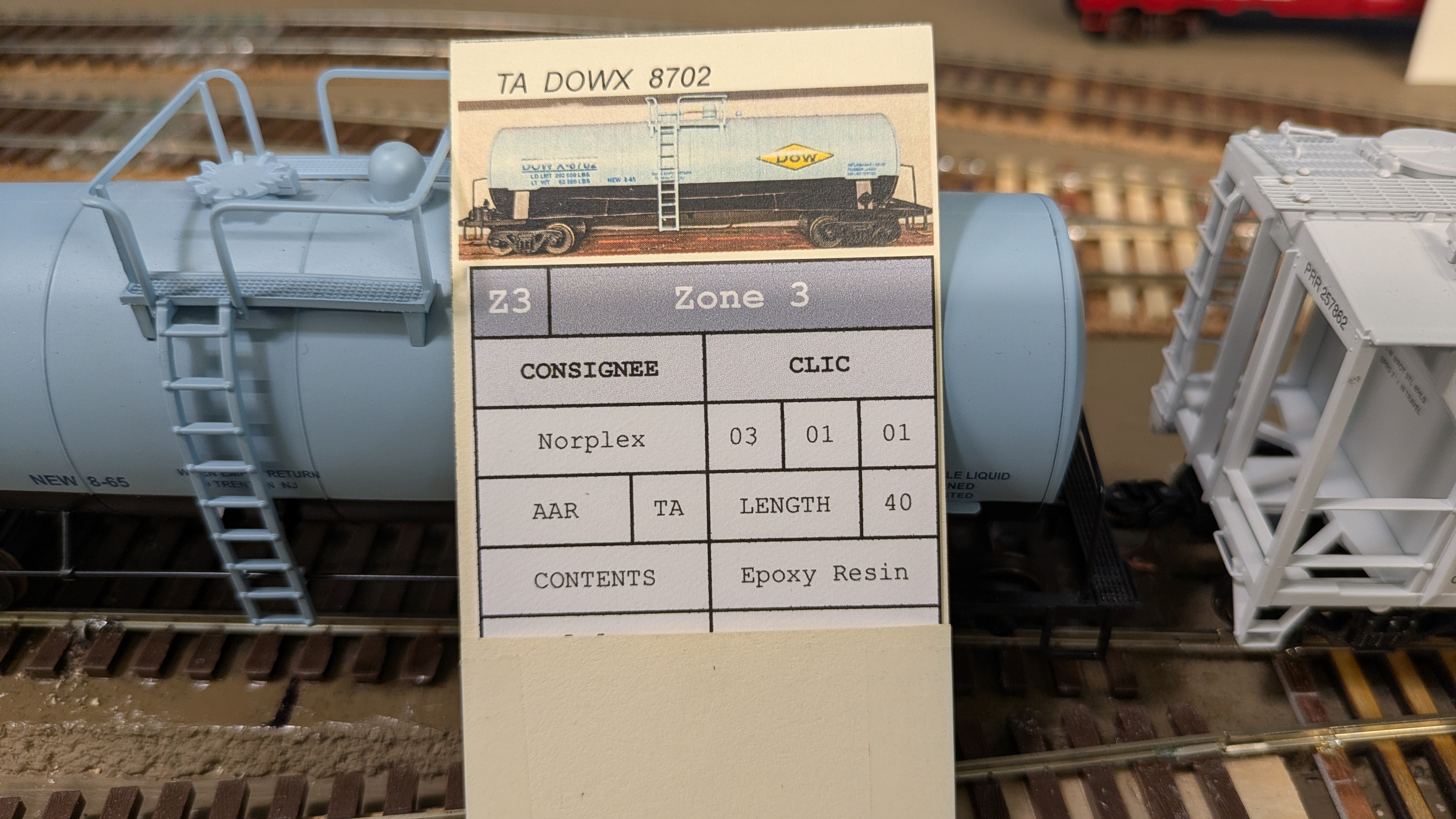
- Position A: The inbound load including the receiver (CONSIGNEE), and the CLIC location for the car. In the example below, this car will be delivered to Norplex in Zone 3, Track 1, Spot 3.
- Position B: The outbound movement will tell operator that this car is ready to be moved to its next destination. In this case, it will go to the yard in Zone 1 and be blocked with other Westbound cars.
After every session, I flip the waybill at the industry and staging tracks, instantly resetting the car for its next move. It’s fast, intuitive, and keeps the next session flowing without sacrificing realism.
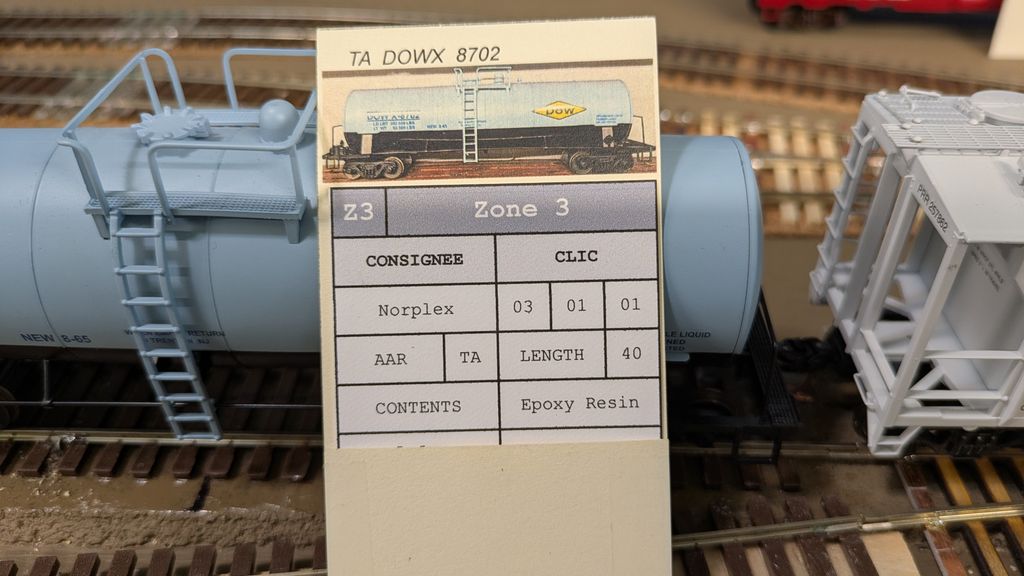
The inbound waybill shows basic information about the industry and track spot for the car as well as car type and contents.
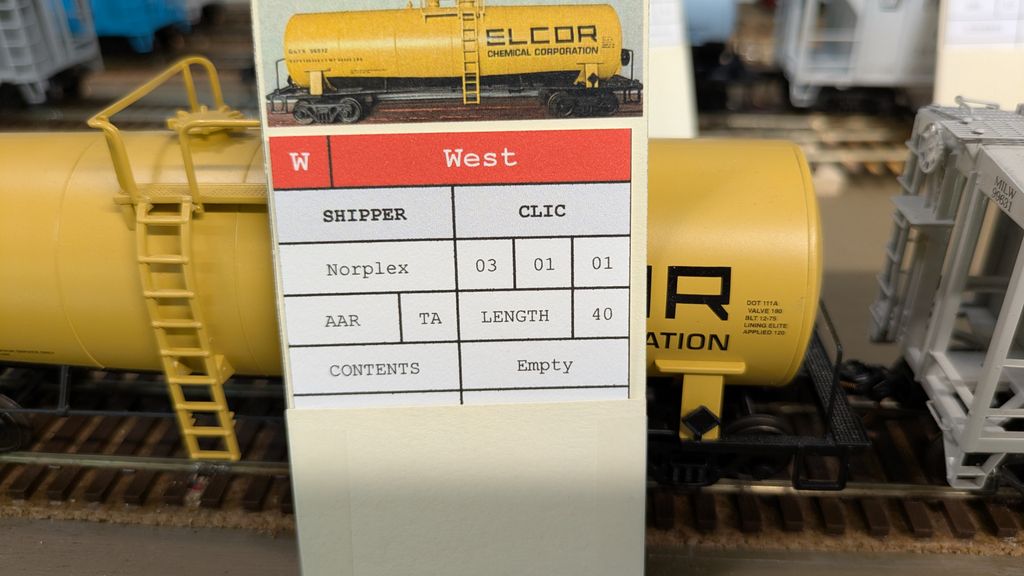
The flip side of the waybill mirrors some of the information, allowing operators to respot a car that isn't ready to pick up.
The Math Behind the Paperwork
With 94 car spots across Zones 1–3, and a standard of two car cards and two waybills per spot, the full print run looked like this:
- 94 spots × 2 car cards = 188 car cards
- 94 spots × 2 two‑position waybills = 188 waybills
That gives me a complete A/B cycle for every industry spot ensuring that I will always have enough cars for any type of session. Since the Staging Yard only holds 70 cars, and the Zone 1 Yard will start with only 8 cars, I will randomly leave 16 spots empty each session. This will allow operators who attend sessions regularly to have a slightly different experience each time.
Printing and Organizing the System
For a layout with this many spots, consistency is everything. A good workflow includes:
- Batch printing car cards and waybill on heavy cardstock
- Color‑coding by zone and staging destination.
- CLIC Numbering on each card to match its industry spot
- Using a master spreadsheet to track which waybills belong to which spot
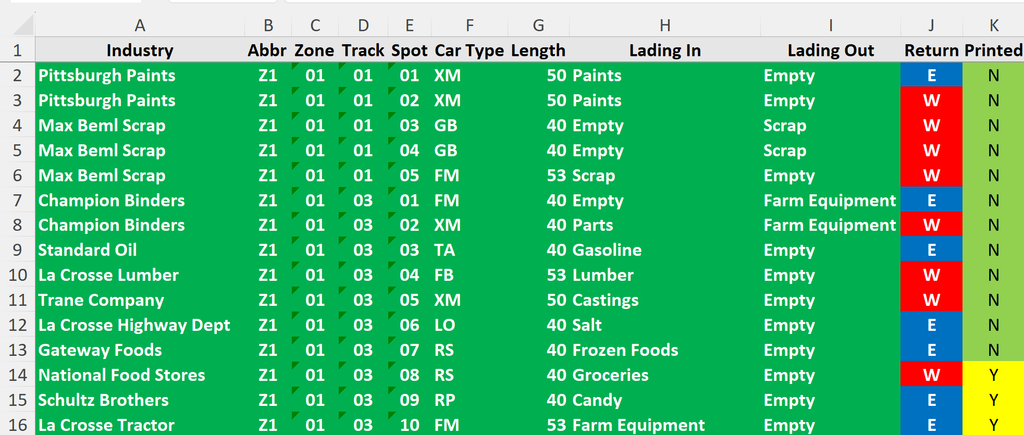
This is my industry list, by zone. I can indicate which ones to print by setting the Printed column to N.
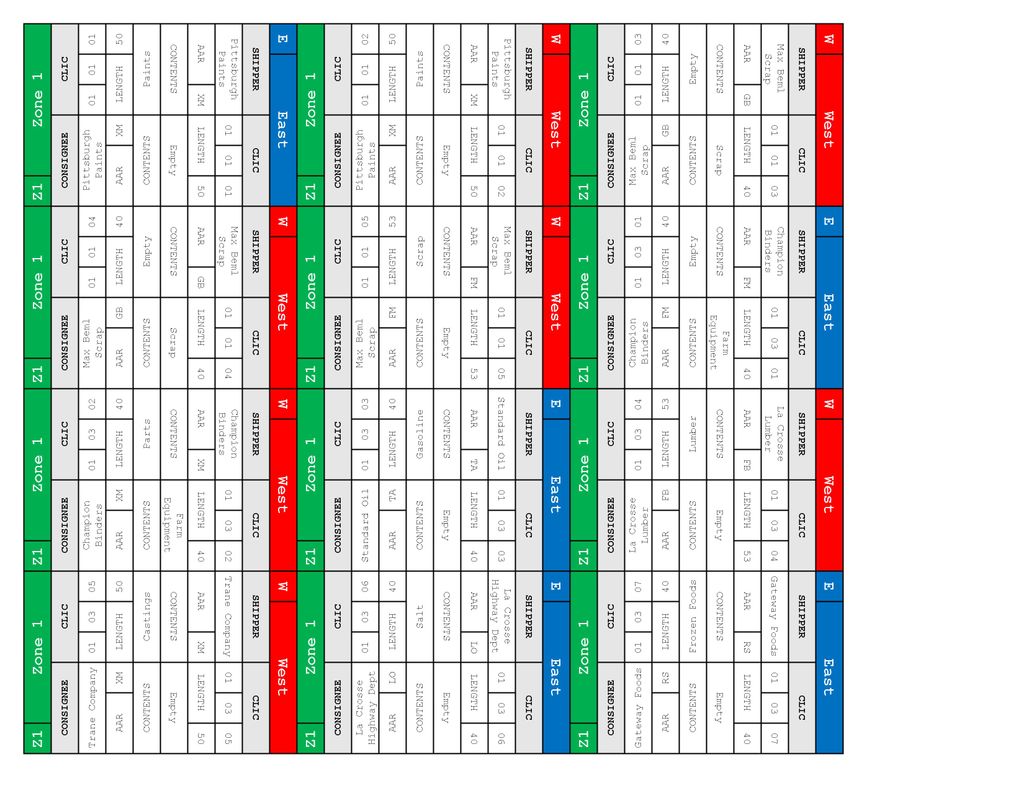
I print 12 waybills per page. They are auto populated based on the Industry list where the Printed column is set to N.
The Payoff
When the paperwork is done right, the railroad feels alive. Crews make decisions based on real‑world logic. Industries receive what they need. Cars cycle in believable patterns. And the layout becomes more than scenery and trains — it becomes a working transportation system.
Printing 188 car cards and 188 two‑position waybills is a commitment, but it’s also the moment the Cedar River Valley transformed from a collection of zones and freight cars into a cohesive operating railroad.